If you've been maintaining undetected-chromedriver scripts, you already know the pain: Selenium's WebDriver layer injects navigator.webdriver=true, leaks CDP artifacts, and trips Cloudflare and Imperva bot checks before your page even loads. Scraping with nodriver is the modern answer — a fully async, Python-native library that talks directly to Chrome over the DevTools Protocol with no WebDriver in the middle. Pair it with rotating residential proxies and you get a stealth stack that survives advanced fingerprinting while keeping concurrency high.
Legal note: This guide covers authorized automation against public data only. Unauthorized scraping may violate the U.S. Computer Fraud and Abuse Act (DOJ CFAA guidance) and GDPR/CCPA data-protection rules. Always check robots.txt, terms of service, and local law before deploying.
Why nodriver Exists: The WebDriver Problem
Traditional Selenium-based automation uses the W3C WebDriver protocol — a JSON-over-HTTP layer that Chrome exposes via a separate driver binary. That driver binary (chromedriver) leaves fingerprints everywhere: it sets navigator.webdriver, injects cdc_ variables into window, and exposes the Runtime.evaluate binding in ways that anti-bot vendors fingerprint reliably. Cloudflare's managed challenge, DataDome, and Imperva all look for these signatures as a first-pass filter.
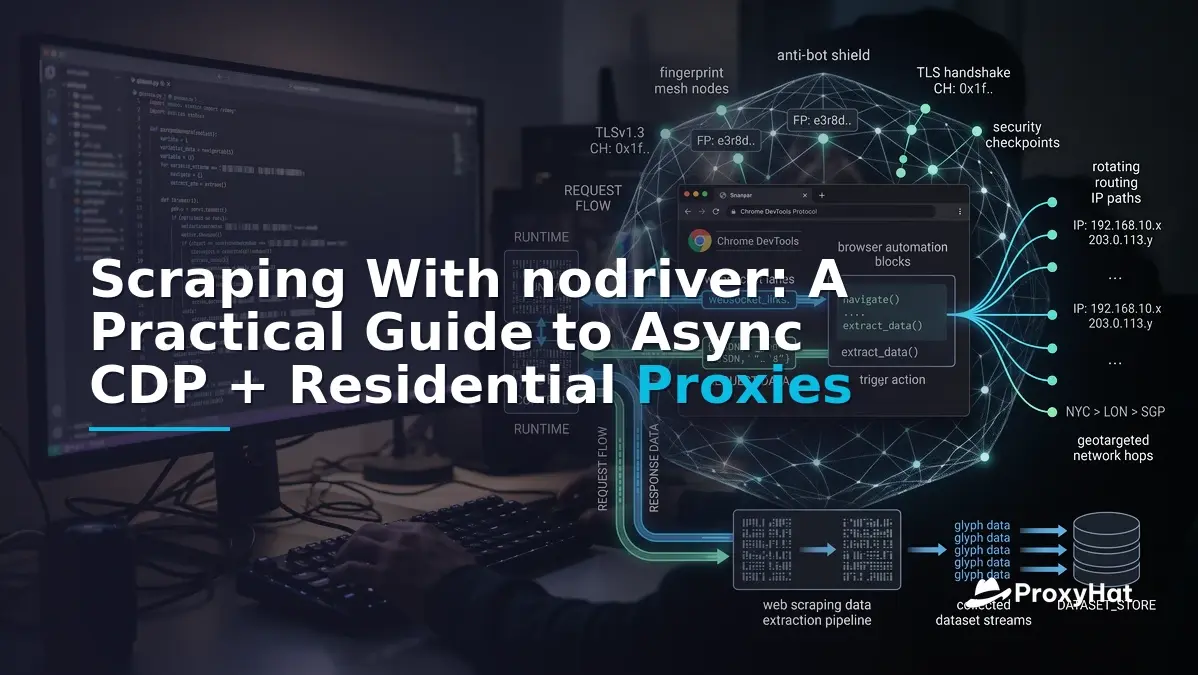
nodriver — the official successor to undetected-chromedriver by the same author — removes the WebDriver layer entirely. It launches Chrome with --remote-debugging-port, connects to the Chrome DevTools Protocol (CDP) over a WebSocket, and drives the browser through the same low-level API that Chrome DevTools itself uses. There is no chromedriver process, no W3C WebDriver session, and no navigator.webdriver flag by default. This cuts a large chunk of the detectable surface area that Cloudflare's bot management heuristics key on.
The trade-off is architectural: because nodriver is async-first and CDP-native, you can't drop it into a legacy Selenium test suite without rewriting. But for greenfield scraping, the payoff is real — lower detection rates, higher concurrency, and a cleaner event-driven model.
nodriver Architecture: Zero WebDriver, Direct CDP
At its core, nodriver is an asyncio wrapper around pychrome-style CDP calls. The key objects are:
ucmodule — the entry point.uc.start()launches a Chrome process, attaches a CDP client, and returns aBrowserobject.Browser— represents the Chrome process. You can open multipleTabobjects from it.Tab — a single page context. Each tab has its own CDP session, so you can run dozens concurrently within one browser process.- Event hooks — instead of
WebDriverWait, you register handlers for CDP events likeNetwork.responseReceivedorPage.loadEventFired.
Because there's no synchronous WebDriver call, nodriver avoids the thread-blocking model that caps Selenium at roughly 5–10 concurrent sessions per machine. With CDP, a single Chrome process can manage 20+ tabs in parallel, each with its own proxy context — which is where residential rotation becomes essential.
Idiomatic API: uc.start(), Tabs, and Event Hooks
The nodriver API is designed to feel like writing async Python, not like translating Selenium. Here's the basic shape:
import nodriver as uc
import asyncio

async def main():
    browser = await uc.start()
    tab = await browser.get('https://example.com')

    # select an element by CSS — returns when found, no explicit wait
    heading = await tab.select('h1')
    print(await heading.get_attribute('innerText'))

    # find() is non-throwing and returns None if not found
    button = await tab.find('button#submit')
    if button:
        await button.click()

    browser.stop()

if __name__ == '__main__':
    uc.loop().run_until_complete(main())
Notice the absence of time.sleep() or WebDriverWait. nodriver's select() internally polls the DOM via CDP and resolves when the element appears (or times out). For more complex flows, you can hook into CDP events directly:
async def on_response(event):
    if event.response.url.endswith('/api/data'):
        body = await tab.get_response_body(event.request_id)
        print(body)

tab.add_handler(uc.cdp.network.ResponseReceived, on_response)
This event-driven model is the idiomatic way to intercept XHR/fetch responses — far cleaner than parsing network logs after the fact.
Configuring a nodriver Proxy: --proxy-server and Authentication
nodriver has no built-in proxy rotation. You pass Chrome flags via browser_args in uc.start(), and Chrome's native --proxy-server flag does the routing. The catch: Chrome's flag does not handle proxy authentication, so you need the --proxy-server URL to include credentials, or use a CDP-based auth handler.
ProxyHat's gateway supports inline credentials in the proxy URL, which is the simplest path:
import nodriver as uc

PROXY_URL = 'http://user-country-US-sid-abc123:pass@gate.proxyhat.com:8080'

async def main():
    browser = await uc.start(
        browser_args=[
            f'--proxy-server={PROXY_URL}',
            '--disable-blink-features=AutomationControlled',
        ],
        headless=False,
    )
    tab = await browser.get('https://example.com')
    # ... scrape ...
    browser.stop()
Why residential IPs are essential for headful stealth: Even with nodriver removing navigator.webdriver, anti-bot systems still inspect the client IP. A datacenter IP from AWS or DigitalOcean is an immediate red flag for Cloudflare and Imperva — the request may pass the browser fingerprint check but fail the IP-reputation check. Residential proxies route through ISP-assigned IPs that look like real home users, which is why they're the default choice for nodriver undetected workflows. Mobile proxies go further by using carrier-grade IPs, which some vendors whitelist entirely.
ProxyHat Setup: Building the Proxy URL
ProxyHat exposes a single gateway at gate.proxyhat.com on port 8080 (HTTP) or 1080 (SOCKS5). Geo-targeting and sticky-session flags go in the username, separated by hyphens. Here's a helper that builds the proxy URL and a complete runnable example:
import nodriver as uc
import asyncio
import json

GATE = 'gate.proxyhat.com'
PORT = 8080
USER = 'user-country-US-sid-abc123'
PASS = 'your_password'

def proxy_url():
    return f'http://{USER}:{PASS}@{GATE}:{PORT}'

async def scrape_protected():
    browser = await uc.start(
        browser_args=[
            f'--proxy-server={proxy_url()}',
            '--disable-blink-features=AutomationControlled',
            '--no-first-run',
            '--no-default-browser-check',
        ],
        headless=True,
    )
    tab = await browser.get('https://httpbin.org/json')

    # Wait for body text, parse as JSON
    body_text = await tab.get_content()
    # nodriver exposes evaluate for JS extraction
    raw = await tab.evaluate('document.body.innerText', return_by_value=True)
    data = json.loads(raw)
    print(data)

    browser.stop()

if __name__ == '__main__':
    uc.loop().run_until_complete(scrape_protected())
The sid-abc123 flag keeps the same residential IP for the lifetime of that session — critical for multi-step flows like logins or cart checkouts where the IP must stay consistent. For per-request rotation, drop the session flag and ProxyHat will assign a new IP on each connection. See available locations for country and city targeting options.
Scaling: Concurrent Tabs, Docker Fleets, and Per-Context Proxies
nodriver's async model scales differently than Selenium. Instead of spawning N browser processes, you typically run one Chrome process per container and open multiple Tab objects concurrently. Each tab can use a different proxy by launching a separate browser per proxy — Chrome's --proxy-server flag is process-level, not per-tab.
Here's a pattern for concurrent scraping with per-context proxy assignment:
import nodriver as uc
import asyncio

SESSIONS = [
    'user-country-US-sid-s1',
    'user-country-DE-sid-s2',
    'user-country-GB-sid-s3',
]
PASS = 'your_password'
GATE = 'gate.proxyhat.com'

async def worker(session_id, target_url):
    proxy = f'http://{session_id}:{PASS}@{GATE}:8080'
    browser = await uc.start(
        browser_args=[f'--proxy-server={proxy}', '--disable-blink-features=AutomationControlled'],
        headless=True,
    )
    try:
        tab = await browser.get(target_url)
        title = await tab.evaluate('document.title', return_by_value=True)
        print(f'{session_id}: {title}')
    finally:
        browser.stop()

async def main():
    tasks = [
        worker(s, 'https://example.com/page')
        for s in SESSIONS
    ]
    await asyncio.gather(*tasks)

if __name__ == '__main__':
    uc.loop().run_until_complete(main())
Containerizing the Fleet
For production, run each browser instance in its own Docker container with a CPU and memory cap. A typical container spec: 1 vCPU, 1.5 GB RAM, one Chrome process, 3–5 concurrent tabs. With 10 containers on a single 8-core node, you can sustain 30–50 concurrent stealth sessions. Use a task queue (Celery, RQ, or Redis Streams) to distribute URLs across containers and handle graceful shutdown via SIGTERM.
Graceful shutdown matters because Chrome processes left orphaned will hold proxy sessions open, consuming your ProxyHat concurrency quota. Always wrap scraping logic in try/finally and call browser.stop() — or register a signal handler:
import signal

def shutdown(signum, frame):
    for b in active_browsers:
        b.stop()

signal.signal(signal.SIGTERM, shutdown)
For deeper coverage of scaling patterns and pricing tiers, see ProxyHat pricing and the web scraping use case.
When NOT to Use a Full Browser
nodriver is powerful but expensive — each Chrome process consumes 300–500 MB of RAM and adds 1–3 seconds of startup latency. If your target site doesn't require JavaScript rendering or advanced fingerprint evasion, a plain HTTP client is 10–50x cheaper. curl_cffi in particular can impersonate Chrome's TLS fingerprint (JA3) at the socket level, which defeats many Cloudflare checks without launching a browser at all.
| Approach | RAM per session | Startup | JS rendering | Best for |
|---|---|---|---|---|
| curl_cffi + ProxyHat | ~20 MB | 50 ms | No | API endpoints, static HTML, JSON APIs |
| nodriver + ProxyHat | 300–500 MB | 1–3 s | Yes | SPA, Cloudflare challenge, fingerprint-protected pages |
| Playwright + ProxyHat | 200–400 MB | 0.5–1 s | Yes | QA testing, less stealth-focused scraping |
Rule of thumb: start with curl_cffi + residential proxies. If you hit a JS challenge or need real DOM interaction, escalate to nodriver. For SERP tracking specifically, see our SERP tracking guide.
Common Mistakes and Edge Cases
- Forgetting
--disable-blink-features=AutomationControlled: Even without WebDriver, Chrome still sets some automation flags. This arg removes the most common ones. - Mixing proxy sessions across tabs: Chrome's
--proxy-serveris process-level. If you need different IPs per tab, launch separate browser instances. - Not handling CDP disconnects: If the WebSocket drops, nodriver raises
ConnectionError. Wrap long-running scrapers in retry logic. - Using headless=False in Docker: Headless Chrome in containers needs
--no-sandboxand a virtual framebuffer (Xvfb) if you need headful rendering for stealth. - Ignoring robots.txt: Even with perfect stealth, scraping against a site's robots.txt can expose you to legal risk. Check ProxyHat docs for compliance guidance.