Every login, checkout, and signup in 2026 is quietly scored by an IP reputation engine before it ever reaches your application logic. If you build scraping pipelines, run authorized automation, or test fraud controls, understanding how IP reputation and fraud scoring work (IPQualityScore) is the difference between requests that land and requests that get silently blocked. This guide breaks down the actual signals IPQualityScore (IPQS) uses, why residential proxies pass where datacenter IPs fail, and how to test your own exit IPs against the IPQS proxy-detection API.
How IP Reputation and Fraud Scoring Work (IPQualityScore): The Core Model
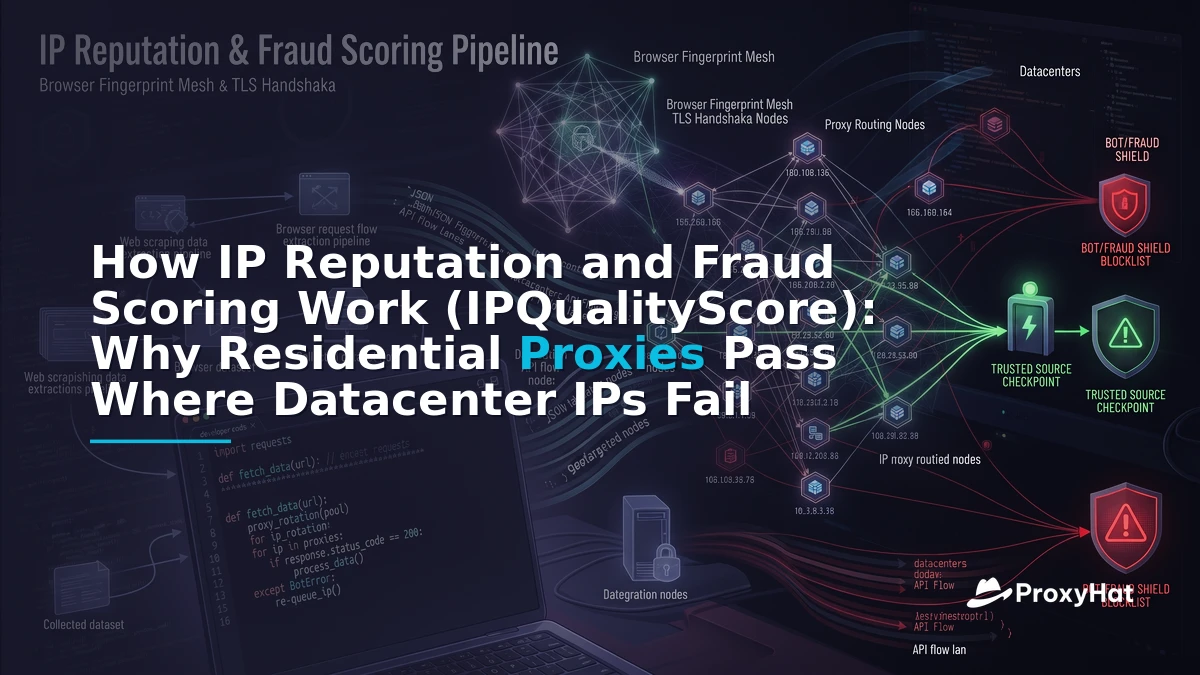
IPQS is one of the most widely deployed IP intelligence services on the internet. Its core product is a 0-100 fraud score for an IP address, where 0 means clean and 100 means almost certainly malicious. The score is not a single heuristic — it is a composite built from five signal families that feed into a machine-learning model trained on abuse data collected across millions of daily lookups.
The five signal families
1. Honeypots and traps. IPQS operates a global network of decoy services — open relay detectors, fake SMTP servers, vulnerable-looking APIs, and comment-form honeypots. IPs that interact with these traps are flagged for recent abuse. This is the highest-weight signal because it is direct behavioral evidence, not inference.
2. ASN and range classification. Every IP belongs to an Autonomous System Number (ASN). IPQS classifies ASNs into types: residential ISP (e.g., Comcast AS7922), mobile carrier (e.g., T-Mobile AS21928), hosting/datacenter (e.g., DigitalOcean AS14061, AWS AS14618, Hetzner AS24940), and commercial/business. A datacenter ASN is not automatically fraudulent, but it carries a baseline risk weight because automated abuse overwhelmingly originates from cloud ranges.
3. Blacklists and shared feeds. IPQS aggregates dozens of public and private blacklists — Spamhaus, AbuseIPDB, Project Honey Pot, and proprietary feeds from partner networks. An IP listed on multiple blacklists receives a score bump proportional to listing severity and recency. A listing from 30 days ago weighs less than one from 24 hours ago.
4. Machine-learning behavioral model. The ML layer correlates hundreds of features: request velocity per IP, time-of-day patterns, ASN abuse density, geolocation consistency, and cross-IP behavioral clustering. If an IP in a residential ASN suddenly exhibits datacenter-like request patterns (e.g., 1,500 requests/sec to a single endpoint), the model flags it as a botnet node or compromised residential proxy.
5. Live forensic checks. At query time, IPQS runs active probes: open-port scanning (22, 80, 1080, 3128, 8080, 9050), reverse DNS (rDNS) lookups, Tor exit-node matching, VPN gateway detection, and geolocation cross-validation against the ASN's registered country. These live checks are what catch freshly provisioned proxies that have no historical abuse record yet.
The Proxy-Detection Signals That Actually Matter
If you strip away the marketing, ipqualityscore proxy detection comes down to a handful of concrete signals that anti-fraud engineers evaluate in sequence. Understanding each one tells you exactly why a datacenter IP gets a fraud score of 85+ while a residential ISP IP scores under 10.
ASN type: hosting vs ISP
This is the single most decisive signal. IPQS tags every ASN with a connection type: Residential, Mobile, Datacenter, Corporate, or Education. A request from AS14061 (DigitalOcean) is tagged Datacenter regardless of what the browser fingerprint claims. Most anti-fraud rulesets treat Datacenter as a hard risk multiplier — not a block by itself, but enough to push the composite score above enforcement thresholds.
Open ports and rDNS
IPQS probes common proxy ports: 1080 (SOCKS5), 3128 (Squid), 8080 (HTTP proxy), 9050 (Tor SOCKS). An open proxy port is near-conclusive evidence the IP is a proxy. rDNS adds corroboration: a residential IP typically resolves to something like cpe-72-178-42-11.tx.res.rr.com (Charter residential), while a datacenter IP resolves to static.8.127.224.1.clients.your-server.de (Hetzner). The rDNS pattern itself is a classifier input.
Geolocation mismatch
If the IP geolocates to Frankfurt but the rDNS hostname suggests a Brazilian ISP, or the ASN's registered country differs from the GeoIP country, IPQS flags a mismatch. This catches misconfigured proxies and VPN endpoints that route through unexpected countries. A clean residential exit has geolocation, rDNS, and ASN country all consistent.
Connection type and recent-abuse history
The connection_type field returned by the IPQS API is the distilled verdict: User (residential), Cell (mobile), Corporate, or Hosting/Proxy. Recent-abuse history — measured in the last 7, 30, and 90 days — tracks whether the IP has been reported for credential stuffing, spam, scraping, or bot activity. A residential IP with zero recent abuse reports and a User connection type is the gold standard.
Why Thresholds Matter: Blocking at Score ≥ 90
IPQS publishes a recommended enforcement matrix. The default guidance is:
| Fraud Score Range | Recommended Action | Typical Use Case |
|---|---|---|
| 0–49 | Allow | Normal traffic, no friction |
| 50–74 | Flag / step-up auth | Require email verification or MFA on signup |
| 75–89 | Challenge | CAPTCHA or manual review at checkout |
| ≥ 90 | Block | Hard block at login, signup, or payment |
Anti-fraud teams wire these thresholds into specific user journeys. A common pattern: allow scores under 50 to pass freely, require email verification for 50–74, present a CAPTCHA for 75–89, and hard-block anything ≥ 90. Payment flows are stricter — some merchants block anything above 75 at checkout because chargeback risk dominates. Login flows may be more permissive on the lower bound but always block ≥ 90 to stop credential stuffing.
The threshold you choose depends on your fraud tolerance. A SaaS signup form with no payment may tolerate scores up to 75 with MFA. A gift-card checkout page may block at 55. The point is that the IP fraud score is a configurable dial, not a binary verdict, and understanding where your exit IPs land on that dial is what proxy quality is really about.
Why Residential Proxies Pass Where Datacenter IPs Fail
This is the entire detection challenge in one sentence: a genuine ISP-assigned household IP has a clean residential ASN, consistent geolocation, a User connection type, and a low fraud score. There is no signal for IPQS to flag because the IP is, by every measurable property, a normal home internet connection.
Datacenter IPs fail not because they are malicious but because they are statistically risky. A request from AS14618 (AWS US East) carries the accumulated abuse weight of every scraper, botnet, and fraudster that has ever used that range. The ASN type is Hosting/Proxy, the rDNS hostname contains ec2 or compute, and the IP probably has open ports from the cloud provider's default security group. The composite score lands at 75–95, and the request gets blocked or challenged.
Residential proxies flip every signal:
- ASN type: Registered to a real ISP (Comcast, AT&T, Spectrum), classified as
Residential. - rDNS: Resolves to an ISP hostname pattern like
cpe-…res.rr.comorpool-…verizon.net. - Geolocation: City-level GeoIP matches the ISP's service area.
- Connection type: Returned as
User, notHosting/Proxy. - Recent abuse: Zero reports if the IP pool is fresh and rotated ethically.
The residential proxy detection gap is that IPQS cannot distinguish a real human browsing from a residential proxy that routes through a real human's ISP-assigned IP — because at the network layer, there is no difference. The only signals that could distinguish them are behavioral (request velocity, TLS fingerprint, browser fingerprint), which is a separate layer of detection beyond IP reputation.
Worked Example: Checking a ProxyHat Residential Exit vs a Datacenter IP Against IPQS
Let's run a legitimate quality check. We'll query the IPQS proxy-detection API for two exit IPs: one from a ProxyHat residential exit (US geo-targeted) and one from a public datacenter IP. This is the kind of test you run before committing to a proxy provider for a scraping or automation pipeline.
Step 1: Get your residential exit IP through ProxyHat
First, confirm the exit IP that ProxyHat assigns for a US residential session. We use the HTTP gateway on port 8080 with country targeting in the username:
curl -x http://user-country-US:pass@gate.proxyhat.com:8080 https://api.ipify.orgThis returns the residential exit IP that the world (and IPQS) will see. Note it for the next step.
Step 2: Query the IPQS proxy-detection API
IPQS exposes a simple GET endpoint. You need an IPQS API key (available from the IPQS proxy-detection API documentation). The endpoint returns JSON with the fraud score, proxy/VPN flags, connection type, and abuse history.
import requests

IPQS_KEY = "your_ipqs_api_key"

def check_ip_reputation(ip: str) -> dict:
    url = f"https://www.ipqualityscore.com/api/json/ip/{IPQS_KEY}/{ip}"
    params = {
        "strictness": 1,       # 0=loose, 1=standard, 3=paranoid
        "allow_public_access_points": "true",
        "mobile": "true",
    }
    r = requests.get(url, params=params, timeout=10)
    r.raise_for_status()
    return r.json()

# Example: compare a residential exit vs a datacenter IP
residential_ip = "98.xx.xx.xx"   # from Step 1
datacenter_ip = "142.xx.xx.xx"   # a known cloud IP

for label, ip in [("ProxyHat Residential US", residential_ip),
                  ("Datacenter", datacenter_ip)]:
    result = check_ip_reputation(ip)
    print(f"\n=== {label} ({ip}) ===")
    print(f"  fraud_score:       {result.get('fraud_score')}")
    print(f"  proxy:             {result.get('proxy')}")
    print(f"  vpn:               {result.get('vpn')}")
    print(f"  tor:               {result.get('tor')}")
    print(f"  active_vpn:        {result.get('active_vpn')}")
    print(f"  connection_type:   {result.get('connection_type')}")
    print(f"  ISP:               {result.get('ISP')}")
    print(f"  ASN:               {result.get('ASN')}")
    print(f"  recent_abuse:      {result.get('recent_abuse')}")
    print(f"  bot_status:        {result.get('bot_status')}")
What you should see
For the ProxyHat residential exit, expect output like:
=== ProxyHat Residential US (98.xx.xx.xx) ===
  fraud_score:       0
  proxy:             false
  vpn:               false
  tor:               false
  active_vpn:        false
  connection_type:   User
  ISP:               Comcast Cable Communications
  ASN:               AS7922
  recent_abuse:      false
  bot_status:        false
For the datacenter IP, expect:
=== Datacenter (142.xx.xx.xx) ===
  fraud_score:       85
  proxy:             true
  vpn:               false
  tor:               false
  active_vpn:        false
  connection_type:   Hosting/Proxy
  ISP:               DigitalOcean LLC
  ASN:               AS14061
  recent_abuse:      true
  bot_status:        true
The delta is the entire story. The residential exit scores 0 with connection_type: User and no abuse history. The datacenter IP scores 85, is flagged as a proxy, has connection_type: Hosting/Proxy, and carries recent-abuse history. Under the default IPQS enforcement matrix, the residential IP passes every threshold while the datacenter IP is hard-blocked at ≥ 90 and challenged at 75–89.
Step 3: Run the same check through SOCKS5
If your pipeline uses SOCKS5, switch the gateway port to 1080:
curl -x socks5://user-country-US:pass@gate.proxyhat.com:1080 https://api.ipify.orgThe exit IP and IPQS score will be equivalent — the transport (HTTP vs SOCKS5) does not affect the IP reputation of the exit node. What matters is the residential ASN and clean abuse history, which ProxyHat's residential pool provides. See the ProxyHat documentation for full connection-string reference.
Common Mistakes and Edge Cases
Mistake 1: Testing with a single IP and generalizing
IP reputation varies across a proxy pool. A single residential IP may score 0, but another in the same pool may have accumulated abuse if a previous user misused it. Always test a sample of 20–50 exit IPs across different sessions before drawing conclusions. ProxyHat's user-session-{id} flag lets you pin and re-test specific exits.
Mistake 2: Ignoring strictness levels
IPQS offers strictness 0 (loose) through 3 (paranoid). At strictness 3, IPQS flags IPs that are merely adjacent to abusive ranges in the same ASN. A residential IP that passes at strictness 1 may get challenged at strictness 3. Know what strictness your target site uses — most production anti-fraud runs at strictness 1, but high-value targets (banking, ticketing) may run at 2 or 3.
Mistake 3: Forgetting behavioral signals
IP reputation is necessary but not sufficient. Even with a perfect residential IP, if your TLS fingerprint is a known Python requests JA3 hash and your browser fingerprint is a headless Chrome canvas hash, behavioral anti-bot systems (Cloudflare Bot Management, Datadome, PerimeterX) will block you independently of the IP score. TLS fingerprinting and canvas/WebGL fingerprinting are separate detection layers that compound on top of IP reputation.
Mistake 4: Using sticky sessions too long
A sticky residential session held for 6 hours at high request volume will eventually trigger behavioral abuse flags on that IP, pushing its fraud score up for subsequent users. Rotate sessions per logical task — per page, per checkout, per search query — rather than holding one IP for an entire scraping run. ProxyHat supports per-request rotation by omitting the session flag and sticky sessions by including user-session-{id}.
ProxyHat-Specific Setup for IP Reputation Testing
To build a reliable IP-quality testing pipeline, combine ProxyHat's geo-targeting with the IPQS API. Here's a practical pattern:
import requests

PROXYHAT_GATEWAY = "gate.proxyhat.com"
PROXYHAT_PORT = 8080

def get_exit_ip(country: str, city: str = None, session: str = None) -> str:
    username = f"user-country-{country}"
    if city:
        username += f"-city-{city}"
    if session:
        username += f"-session-{session}"
    proxy_url = f"http://{username}:pass@{PROXYHAT_GATEWAY}:{PROXYHAT_PORT}"
    r = requests.get("https://api.ipify.org",
                     proxies={"http": proxy_url, "https": proxy_url},
                     timeout=15)
    return r.text

def score_exit(ip: str, ipqs_key: str) -> dict:
    url = f"https://www.ipqualityscore.com/api/json/ip/{ipqs_key}/{ip}"
    r = requests.get(url, params={"strictness": 1}, timeout=10)
    return r.json()

# Test 20 US residential exits across different sessions
results = []
for i in range(20):
    sid = f"qa-test-{i:03d}"
    exit_ip = get_exit_ip("US", session=sid)
    score = score_exit(exit_ip, IPQS_KEY)
    results.append({
        "session": sid,
        "ip": exit_ip,
        "fraud_score": score["fraud_score"],
        "connection_type": score["connection_type"],
        "recent_abuse": score["recent_abuse"],
    })

avg_score = sum(r["fraud_score"] for r in results) / len(results)
print(f"Average fraud score across 20 exits: {avg_score}")
print(f"Exits with connection_type=User: "
      f"{sum(1 for r in results if r['connection_type']=='User')}/20")
A healthy residential pool should show an average fraud score under 10 and 95%+ exits classified as User. If you see outliers above 30, flag those sessions and avoid reusing them. For broader geo-testing, ProxyHat supports city-level targeting (e.g., user-country-US-city-newyork) — see the available locations for the full country and city list.
Ethical Framing and Legal Caveats
IP reputation testing is legitimate when you are evaluating your own infrastructure, auditing your proxy provider's quality, or running authorized automation against systems you have permission to access. The worked examples above — checking your own exit IPs against IPQS — are standard QA practice for any team operating scraping or automation pipelines.
What is not legitimate: using IP reputation intelligence to evade fraud controls for payment abuse, account takeover, or circumventing terms of service. Using proxies to commit payment fraud violates the Computer Fraud and Abuse Act (CFAA) in the United States and equivalent statutes in other jurisdictions. Using IP intelligence to process personal data of EU residents without a lawful basis violates GDPR, which requires a legal basis (consent, legitimate interest, or contractual necessity) for any processing of personal data, including IP addresses.
The practical guidance: test your own IPs, test your provider's pool quality, run authorized automation within rate limits and robots.txt, and never use proxy infrastructure to facilitate fraud. If you are scraping, follow the site's ToS, respect robots.txt, and rate-limit your requests to avoid impacting the target's infrastructure. For more on ethical scraping practices, see our web scraping use case guide and SERP tracking guide.
Key Takeaways
- IPQS builds a 0-100 fraud score from honeypots, ASN classification, blacklists, ML behavioral models, and live forensic checks (open ports, rDNS, Tor/VPN matching).
- The decisive signal is ASN type. A
DatacenterASN pushes the score to 75–95; aResidentialISP ASN keeps it under 10 if the IP has no abuse history.- Thresholds are configurable. IPQS recommends blocking at ≥ 90, but payment flows often block at 75 and signup flows may allow up to 50 with MFA.
- Residential proxies pass because a genuine ISP-assigned household IP has clean ASN type, consistent geolocation,
Userconnection type, and zero recent abuse — there is no IP-layer signal to flag.- Test before you commit. Query the IPQS API for 20–50 exit IPs from your proxy provider and verify average fraud scores under 10 and 95%+
Userclassification.- IP reputation is necessary but not sufficient. TLS fingerprinting (JA3/JA4), canvas fingerprinting, and behavioral analytics are separate detection layers that compound on top of IP score.
Frequently Asked Questions
What is IP reputation and fraud scoring (IPQualityScore)?
IP reputation and fraud scoring is the process of assigning a 0-100 risk score to an IP address based on signals like ASN type, blacklist history, honeypot traps, open-port scans, reverse DNS, and machine-learning behavioral models. IPQualityScore (IPQS) is a leading provider of this intelligence, returning a fraud score plus proxy, VPN, Tor, and bot-status flags via a REST API that anti-fraud and scraping teams use to evaluate IP quality.
Why does IP reputation matter for proxy users?
Every major anti-fraud and anti-bot system queries IP reputation at login, signup, and checkout. If your proxy exit IP has a high fraud score or is classified as Hosting/Proxy, your requests get blocked, challenged with CAPTCHA, or flagged for manual review. Proxy users need to know their exit IPs' reputation scores to predict whether their automation will pass through target sites' defenses or get silently dropped.
Which proxy type works best for passing IP reputation checks?
Residential proxies work best because they route through genuine ISP-assigned household IPs with clean ASNs, consistent geolocation, User connection type, and low fraud scores. Mobile proxies also pass well because they originate from carrier ASNs. Datacenter proxies consistently fail IP reputation checks because their ASNs are classified as Hosting/Proxy, they carry accumulated abuse history, and their rDNS patterns reveal cloud infrastructure.
How do you avoid blocks when using proxies for automation?
Use residential or mobile proxies with clean IP reputation (fraud score under 10), rotate sessions per logical task rather than holding one IP for hours, match your geo-targeting to the target site's expected audience, and complement IP quality with proper TLS and browser fingerprinting. Test your exit IPs against the IPQS API before deploying, respect robots.txt and rate limits, and keep request velocity within human-like patterns to avoid behavioral abuse flags.
Can a residential proxy still get flagged by IPQS?
Yes. A residential IP can accumulate a high fraud score if previous users abused it for spam, scraping, or credential stuffing. IPQS tracks recent abuse in 7, 30, and 90-day windows. Additionally, at strictness level 3, IPQS may flag IPs adjacent to abusive ranges in the same ASN. This is why you should test a sample of 20-50 exit IPs from your provider and rotate away from any that score above 30.