What Cloudflare Turnstile Internals Reveal About Modern Bot Detection
If you have ever watched a scraping script get silently challenged by Cloudflare Turnstile, you know the frustration: a request that worked yesterday suddenly returns a 403 with a JavaScript challenge page, and your automation is stuck. Understanding Cloudflare Turnstile internals — the managed-challenge JavaScript, the proof-of-work loop, the cf_clearance cookie, and the bot management trust score that gates it all — is essential for anyone running legitimate automation at scale.
Legal caveat: This article is written for authorized security researchers, QA engineers testing your own infrastructure, and operators accessing publicly available data in compliance with applicable laws. Bypassing access controls on systems you do not own or are not authorized to test may violate the Computer Fraud and Abuse Act (CFAA) in the United States, the UK Computer Misuse Act, or similar statutes in other jurisdictions. Personal data collection is subject to the EU General Data Protection Regulation (GDPR) and California's CCPA. Always respect robots.txt, terms of service, and rate limits. ProxyHat does not endorse or support unauthorized access to any system.
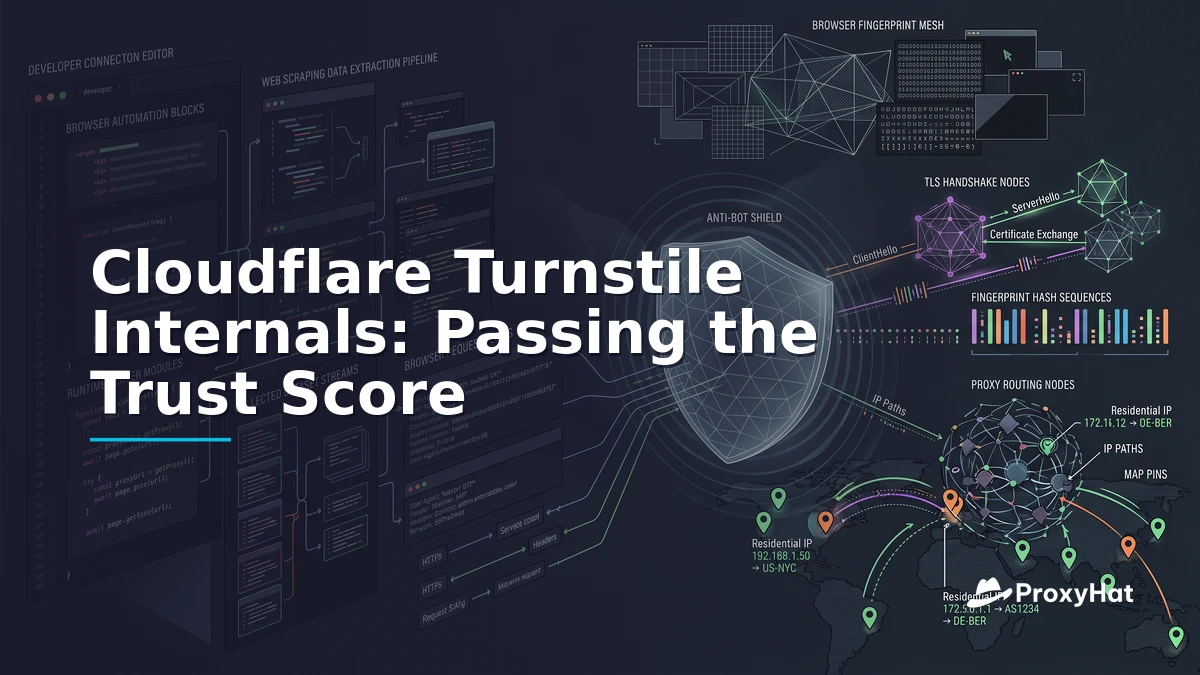
Cloudflare's bot management stack has evolved well beyond simple IP rate-limiting. In 2026, the trust score that determines whether your request gets through or gets challenged is computed from four independent signal layers: TLS fingerprint (JA4), HTTP/2 connection settings, in-browser fingerprint signals, and IP reputation. A mismatch in any one layer — say, a User-Agent string claiming Chrome 120 but a JA4 hash matching Python's urllib3 — is enough to trigger a managed challenge or an outright block. This article breaks down each layer, explains how the cf_clearance cookie works, and shows a legitimate approach using ProxyHat residential proxies with a real browser to pass Turnstile cleanly.
The Managed-Challenge JavaScript: What Turnstile Actually Runs
When Cloudflare decides a request needs additional verification, it returns a page containing a JavaScript challenge rather than the requested content. This is the managed challenge — the user sees a brief interstitial (or nothing at all in invisible mode), while the browser executes a multi-stage verification process. According to Cloudflare's Turnstile developer documentation, the system is designed as a privacy-preserving CAPTCHA alternative that runs invisible challenges in the background.
The challenge JavaScript performs several distinct tasks:
- Proof-of-work computation: The script receives a challenge string and must find a nonce that, when combined with the string, produces a SHA-256 hash with a target number of leading zero bits. The difficulty is calibrated so a real browser solves it in roughly 200–500ms on a modern CPU, but a naive implementation in a headless environment takes meaningfully longer or produces timing signatures that do not match a real browser event loop.
- Browser-API probes: The script checks for the presence and behavior of APIs that real browsers implement but automation frameworks often do not —
navigator.webdriver,window.chrome, the Permissions API, the Notification API, and various WebGL extensions. A real Chrome browser reportsnavigator.webdriver: falseand has a populatedwindow.chrome.runtimeobject. Headless Chrome or Puppeteer, even with stealth plugins, often leaves detectable traces. - Canvas and WebGL fingerprinting: The script renders a hidden canvas with specific text and shapes, then reads back the pixel data. The resulting hash depends on the GPU, driver, and font rendering engine. A headless browser using SwiftShader produces a different canvas hash than a real GPU. Similarly,
WEBGL_debug_renderer_infoexposes the actual GPU vendor and renderer string — something likeANGLE (NVIDIA, NVIDIA GeForce RTX 4080)versusGoogle SwiftShader. - AudioContext fingerprinting: The Web Audio API's
AnalyserNodeandOscillatorNodeproduce subtly different floating-point outputs depending on the browser's audio implementation and CPU. This is extremely difficult to spoof because it depends on the actual DSP processing path in the browser's audio engine. - Behavioral signals: Turnstile's invisible mode collects mouse movement entropy, scroll timing, and keypress intervals. These are hashed and submitted as part of the challenge token. A request with zero mouse events or perfectly regular timing is flagged as automated.
If the challenge is passed, Cloudflare sets a cf_clearance cookie. This cookie is the golden ticket — but it comes with strict constraints that determine how you must architect your proxy infrastructure.
The cf_clearance Cookie: IP-Pinned and UA-Bound
The cf_clearance cookie is not a generic session token. It is cryptographically bound to two pieces of the request that solved the challenge:
- The client IP address that completed the challenge.
- The User-Agent string presented during the challenge.
If either value changes on subsequent requests, Cloudflare rejects the cookie and re-issues a challenge. This binding is the single most important detail for anyone working with proxies and Turnstile. It means you cannot solve the challenge on one IP and then reuse the cookie from a different IP — the cookie is IP-pinned at the edge.
The cookie's lifetime varies by site configuration but typically ranges from 30 minutes to several hours. During that window, requests from the same IP and User-Agent bypass the challenge entirely, which is how real users experience Turnstile as nearly invisible.
The Four-Signal Trust Score: JA4, HTTP/2, Browser Fingerprint, IP Reputation
Cloudflare's bot management does not rely on Turnstile alone. Before the challenge JavaScript even loads, the edge has already computed a preliminary trust score from four signals visible at the connection layer. Understanding these signals — and how they interact — is the core of turnstile internals for security researchers and scraping engineers.
Signal 1: JA4 TLS Fingerprint
The JA4 fingerprint, developed by FoxIO and documented in the JA4 specification on GitHub, is the successor to JA3. Both hash the TLS ClientHello message, but JA4 introduces a critical difference: extensions are sorted lexicographically before hashing.
In JA3, extensions were hashed in the order they appeared in the ClientHello. This meant a client could reorder extensions to produce a different JA3 hash. JA4 eliminates this trick by sorting all extensions alphabetically before including them in the hash. The JA4 format is:
ja4_r = "{version}_{ciphers}_{extensions_sorted}_{signature_algorithms}"For example, a real Chrome 120 connection might produce:
ja4_r = "t13d1516h2_8daaf6152771_b186095e22b6_000000000000"while Python's requests library (using urllib3 and OpenSSL) produces a completely different JA4:
ja4_r = "t13d1715h2_5b57614c22b8_3bb0b4eb3bb6_000000000000"The cipher list, extension set, and their sorted order all differ. Cloudflare maintains a database of known JA4 hashes per browser version and flags any mismatch with the claimed User-Agent. This cloudflare bot management ja4 check operates at the TLS layer, before any HTTP headers are read.
Signal 2: HTTP/2 SETTINGS Frame
When the TLS handshake completes and the connection upgrades to HTTP/2, the client sends a SETTINGS frame with parameters like HEADER_TABLE_SIZE, ENABLE_PUSH, MAX_CONCURRENT_STREAMS, INITIAL_WINDOW_SIZE, and MAX_FRAME_SIZE. Real browsers have specific default values for each:
| Setting | Chrome 120 | Firefox 121 | Python httpx |
|---|---|---|---|
| HEADER_TABLE_SIZE | 65536 | 65536 | 4096 |
| ENABLE_PUSH | 0 | 0 | 0 |
| MAX_CONCURRENT_STREAMS | 1000 | 1000 | 100 |
| INITIAL_WINDOW_SIZE | 6291456 | 131072 | 4194304 |
| MAX_FRAME_SIZE | 16384 | 16384 | 16384 |
Cloudflare compares the actual SETTINGS frame against the expected values for the browser claimed in the User-Agent. A mismatch here is a strong negative signal — no legitimate Chrome client sends INITIAL_WINDOW_SIZE: 4194304, and no legitimate Firefox client sends MAX_CONCURRENT_STREAMS: 1000.
Signal 3: Browser Fingerprint (Canvas, WebGL, Audio)
If the connection passes the TLS and HTTP/2 checks but still triggers a managed challenge, the in-browser fingerprint is the next gate. As described above, Turnstile's JavaScript collects canvas pixel hashes, WebGL renderer strings, and AudioContext output. These signals are cross-referenced against the claimed browser and OS.
Key signals and their expected values for Chrome on Windows:
navigator.platform:Win32navigator.webdriver:false(must be absent or false)window.chrome: present withruntimeproperty- WebGL renderer: a real GPU string, not
SwiftShader - Canvas hash: consistent with the GPU + driver + font stack combination
navigator.hardwareConcurrency: typically 4–16Intl.DateTimeFormat().resolvedOptions().timeZone: matches the IP's geo-location
A timezone mismatch — for example, a US residential IP reporting Asia/Shanghai — is an immediate red flag that no amount of TLS spoofing can fix. The Canvas API documentation on MDN explains how canvas rendering depends on the underlying graphics pipeline, which is why the fingerprint is so hard to forge.
Signal 4: IP Reputation
The final signal is the reputation of the source IP. Cloudflare classifies IPs into tiers: known datacenter ranges (AWS, GCP, Azure, DigitalOcean), residential ISPs, mobile carriers, and known proxy or VPN exit nodes. A request from an AWS IP with a Chrome JA4 and perfect HTTP/2 settings still gets a lower trust score than the same fingerprint from a Comcast residential IP, because the combination of datacenter IP plus browser fingerprint is statistically unusual for organic traffic.
This is where the choice of proxy type becomes critical for legitimate cloudflare turnstile bypass — passing Turnstile by presenting a genuinely legitimate browser session, not by breaking its cryptography.
Why a Python JA4 Gets Challenged Instantly
Consider what happens when a Python script using requests or httpx hits a Cloudflare-protected endpoint:
- The TLS ClientHello is generated by OpenSSL (or BoringSSL), not by Chrome's BoringSSL. The cipher list, extension set, and their sorted order produce a JA4 hash that matches Python/OpenSSL, not Chrome 120.
- The HTTP/2 SETTINGS frame uses library defaults, not browser defaults.
HEADER_TABLE_SIZEis 4096 instead of 65536. - The User-Agent header claims Chrome, but the JA4 says otherwise.
- The IP is likely a datacenter range flagged by reputation scoring.
Four signals, four mismatches. The trust score bottoms out, and Cloudflare returns a managed challenge. The script then tries to solve the challenge by parsing the HTML and submitting the form, but the challenge JavaScript expects a real DOM, real canvas rendering, and real event timing — none of which an HTTP client library provides.
This is why naive approaches fail: bot management detection operates at a layer below the HTTP request body, in the TLS handshake itself, before any application logic runs. You cannot fix it by changing headers or adding cookies. The fingerprint is in the connection metadata.
Why Residential Proxies Are Essential for cf_clearance
Even if you solve the TLS and HTTP/2 fingerprint problems — by using a real browser or a TLS-spoofing library like curl-impersonate — the cf_clearance cookie creates a hard constraint: it is bound to the IP that solved the challenge.
This means:
- You cannot solve the challenge from IP A and then make subsequent requests from IP B. The cookie is rejected.
- You cannot use rotating proxies that change IP per request. Each IP change invalidates the cookie and triggers a new challenge.
- You can use a sticky residential session that holds the same exit IP for the duration of the cookie's lifetime, solving the challenge once and reusing the cookie for all requests on that session.
Residential proxies are preferred over datacenter proxies here for two reasons. First, the IP reputation signal: a residential IP from a major ISP (Comcast, AT&T, Deutsche Telekom) gets a higher base trust score than a datacenter IP. Second, Cloudflare's edge has extensive datacenter IP ranges mapped and flagged. A perfect Chrome fingerprint from an AWS IP is suspicious; the same fingerprint from a residential IP is not.
Mobile proxies can also work well — mobile carrier IPs (T-Mobile, Vodafone) are treated as residential-class by most bot management systems. However, mobile proxy pools are smaller and more expensive, and some carriers use Carrier-Grade NAT (CGNAT), which means many users share a single exit IP. This can actually help (high traffic volume from the IP looks normal) or hurt (if other users on the same CGNAT IP are also automating).
| Proxy Type | IP Reputation | cf_clearance Compatibility | Relative Cost | Best For |
|---|---|---|---|---|
| Residential (sticky) | High | Excellent — stable IP holds cookie | $$ | Turnstile-protected scraping |
| Residential (rotating) | High | Poor — IP changes break cookie | $$ | Non-challenged endpoints |
| Mobile | High | Good — but CGNAT may cause issues | $$$ | Social media, high-trust needs |
| Datacenter | Low | Poor — flagged even with perfect fingerprint | $ | Non-protected APIs, testing |
A Worked Approach: ProxyHat Sticky Sessions + Real Browser
For legitimate automation — QA testing your own Cloudflare-protected application, accessing public data from a site that uses Turnstile, or security research with authorization — the approach that works reliably is: use a real browser (or a properly configured headless browser with stealth extensions) through a sticky residential proxy, solve the challenge once, extract the cf_clearance cookie, and reuse it for subsequent requests on the same session.
Step 1: Establish a Sticky Residential Session
ProxyHat supports sticky sessions via the username parameter. By appending -session-abc123 to your username, you pin all requests on that session to the same exit IP:
# HTTP proxy with sticky session (US residential)
http://user-session-abc123-country-US:pass@gate.proxyhat.com:8080

# SOCKS5 proxy with sticky session
socks5://user-session-abc123-country-US:pass@gate.proxyhat.com:1080
The session ID abc123 is arbitrary — use any alphanumeric string. As long as you keep using the same session ID, ProxyHat routes your traffic through the same residential IP. This is critical for cf_clearance persistence. For available geo-locations, see ProxyHat locations.
Step 2: Launch a Real Browser Through the Proxy
Using Playwright with a real Chromium instance through the ProxyHat residential proxy:
from playwright.sync_api import sync_playwright

proxy = {
    "server": "http://gate.proxyhat.com:8080",
    "username": "user-session-abc123-country-US",
    "password": "pass"
}

with sync_playwright() as p:
    browser = p.chromium.launch(
        proxy=proxy,
        args=["--disable-blink-features=AutomationControlled"]
    )
    context = browser.new_context(
        user_agent="Mozilla/5.0 (Windows NT 10.0; Win64; x64) "
                   "AppleWebKit/537.36 (KHTML, like Gecko) "
                   "Chrome/120.0.0.0 Safari/537.36"
    )
    page = context.new_page()
    page.goto("https://example-protected-site.com")

    # Wait for Turnstile to resolve (invisible challenge)
    page.wait_for_timeout(5000)

    # Extract cookies
    cookies = context.cookies()
    cf_clearance = next(
        (c for c in cookies if c["name"] == "cf_clearance"), None
    )
    if cf_clearance:
        print(f"cf_clearance: {cf_clearance['value']}")

    browser.close()
Because the browser is real Chromium, the JA4 fingerprint matches Chrome, the HTTP/2 SETTINGS frame matches Chrome, the canvas/WebGL fingerprint is real, and the IP is a residential ISP address. All four signals align, and Turnstile resolves in under 500ms.
Step 3: Reuse cf_clearance for Subsequent Requests
Once you have the cf_clearance cookie, you can reuse it for HTTP requests — as long as they come from the same IP (same ProxyHat session) and the same User-Agent:
import requests

proxies = {
    "http": "http://user-session-abc123-country-US:pass@gate.proxyhat.com:8080",
    "https": "http://user-session-abc123-country-US:pass@gate.proxyhat.com:8080"
}

headers = {
    "User-Agent": "Mozilla/5.0 (Windows NT 10.0; Win64; x64) "
                  "AppleWebKit/537.36 (KHTML, like Gecko) "
                  "Chrome/120.0.0.0 Safari/537.36",
    "Cookie": f"cf_clearance={cf_clearance_value}"
}

response = requests.get(
    "https://example-protected-site.com/api/data",
    proxies=proxies,
    headers=headers
)
print(response.status_code)  # 200 — no challenge
Important: The cf_clearance cookie is only valid from the same IP. If the ProxyHat session rotates to a new IP (which should not happen with a sticky session, but can occur if the underlying residential peer goes offline), the cookie is invalidated and you will need to re-solve the challenge. Always keep the session ID constant.
You can also use curl for quick testing:
curl -x "http://user-session-abc123-country-US:pass@gate.proxyhat.com:8080" \
  -H "User-Agent: Mozilla/5.0 (Windows NT 10.0; Win64; x64) AppleWebKit/537.36 (KHTML, like Gecko) Chrome/120.0.0.0 Safari/537.36" \
  -H "Cookie: cf_clearance=YOUR_COOKIE_VALUE" \
  "https://example-protected-site.com/api/data"
Step 4: Monitor Session Health
Residential IPs can go offline — the peer device might disconnect, the ISP might reassign the IP, or the proxy network might rotate the peer. Monitor for 403 responses and re-solve the challenge when needed. A well-designed automation loop should:
- Detect 403 or challenge responses (check for the
cf-mitigated: challengeresponse header). - Re-launch the browser to obtain a fresh
cf_clearancecookie. - Use a new session ID if the underlying IP has changed.
- Respect rate limits — do not hammer the endpoint. A 1–2 second delay between requests is reasonable.
For more on proxy session management and rotation strategies, see the web scraping use case guide and the SERP tracking guide. For detailed API references, consult the ProxyHat documentation.
When This Is Appropriate: Authorized Automation Only
The techniques described above are appropriate for:
- Security research: Testing your own Cloudflare-protected applications for configuration issues, or conducting authorized penetration testing with written scope.
- QA automation: Running integration tests against your own staging or production environments that are behind Cloudflare.
- Public data access: Accessing publicly available data (public pricing pages, public SERP results, public government data) in compliance with the site's terms of service and applicable laws. Check robots.txt standards and the site's ToS before scraping.
- Brand monitoring: Checking your own product listings across e-commerce platforms where you are the seller or authorized representative.
These techniques are not appropriate for:
- Credential stuffing, brute-force attacks, or any form of unauthorized access.
- Scraping personal data subject to GDPR or CCPA without a lawful basis.
- Circumventing paywalls or access controls on content you have not purchased.
- Any activity that violates the target site's terms of service.
The approach described here is about presenting a legitimate browser session that passes Turnstile naturally — not about breaking its cryptography or reverse-engineering its challenge tokens. The difference between legitimate automation and abuse is authorization, not technique.
Key Takeaways
- Turnstile runs four signal layers: JA4 TLS fingerprint, HTTP/2 SETTINGS, in-browser fingerprint (canvas/WebGL/audio), and IP reputation. A mismatch in any one triggers a challenge.
- JA4 sorts extensions before hashing, making it resistant to extension-reordering tricks that worked against JA3. The JA4 hash must match the claimed browser exactly.
- cf_clearance is IP-pinned and UA-bound. Changing either invalidates the cookie. Use sticky residential sessions to maintain the same exit IP for the cookie's lifetime.
- Residential proxies outperform datacenter proxies for Turnstile-protected endpoints because the IP reputation signal is significantly higher for ISP-assigned ranges.
- Use a real browser (Playwright or Puppeteer with Chromium) through a sticky residential proxy to solve the challenge once, then reuse cf_clearance for HTTP requests on the same session.
- Always operate within legal boundaries. Respect ToS, robots.txt, GDPR, CCPA, and CFAA. Only access data you are authorized to access.
Ready to set up sticky residential sessions for your automation? Check out ProxyHat pricing or read the ProxyHat documentation for detailed setup guides.