If you build automation pipelines or run QA suites against sites protected by Google's invisible captcha, you need to understand how reCAPTCHA v3 scoring works at a signal level. Unlike v2, which presents a visible challenge, v3 silently returns a recaptcha v3 score between 0.0 and 1.0 every time your frontend calls grecaptcha.execute(). The site owner decides what to do with that number. If you're a QA engineer running end-to-end tests or a security researcher doing authorized assessments, a collapsed score means your requests get blocked or challenged—and the root cause is often your IP, not your behavior.
This article breaks down the scoring model, the fused signals Google uses, why datacenter IPs tank your score regardless of how human-like your interactions are, and a worked approach using ProxyHat residential proxies that keeps legitimate automation above threshold.
How reCAPTCHA v3 Scoring Works: The Core Model
reCAPTCHA v3 is a risk-scoring engine, not a challenge system. When a user loads a page with the v3 script, the client-side library collects telemetry in the background. When the application calls grecaptcha.execute(siteKey, { action: 'login' }), the library sends the accumulated telemetry to Google and receives a token. The application sends that token to its backend, which calls https://www.google.com/recaptcha/api/siteverify to get the final score and metadata.
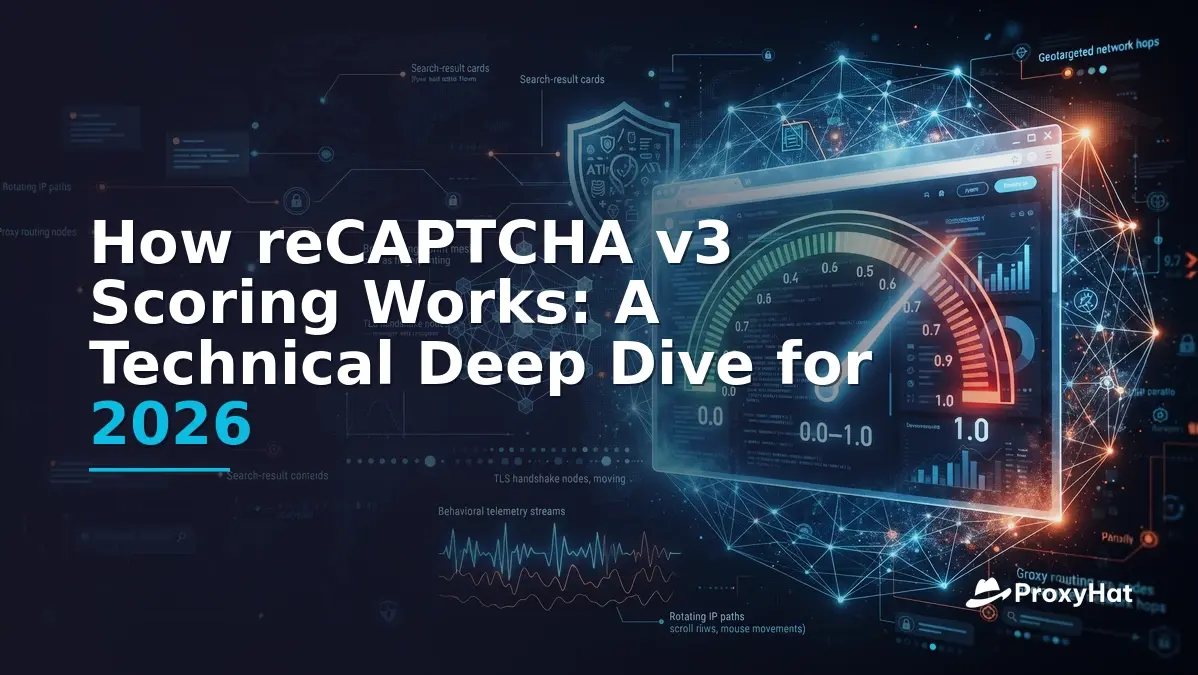
The recaptcha v3 score is a float from 0.0 (definitely bot) to 1.0 (definitely human). Google internally bins scores into discrete buckets—commonly reported as eleven levels from 0.0 to 1.0 in 0.1 increments (0.0, 0.1, 0.2, … 1.0). The binning means you'll rarely see a score like 0.47; you'll see 0.4 or 0.5.
Typical Site Thresholds
Site owners configure their own thresholds. Common patterns observed across production sites:
| Score Range | Typical Action | Example Scenario |
|---|---|---|
| < 0.3 | Block or require full v2 challenge | Account creation, login from new device |
| 0.3 – 0.6 | Challenge (MFA, email verification, secondary captcha) | Checkout, password reset |
| > 0.6 | Allow | Browse, search, low-risk actions |
The recaptcha score 0.3 boundary is the most consequential: below it, most sites hard-block. If your automation consistently lands at 0.1 or 0.2, no amount of mouse-wiggling will fix it if the IP-reputation signal is the dominant factor.
The Signals Google Fuses Into the Score
Google has never published the exact model weights, but reverse-engineering efforts, patent filings, and behavioral analysis reveal the major signal categories. The score is a fusion of multiple classifiers, each contributing probabilistic evidence.
1. Behavioral Telemetry
The v3 script records fine-grained interaction events:
- Mouse movement patterns — velocity, acceleration, curvature, micro-jitter. Bots produce linear or perfectly curved paths; humans show irregular micro-corrections.
- Scroll timing — acceleration/deceleration profiles, scroll-by-touchpad vs. scroll-by-wheel signatures.
- Keystroke dynamics — inter-key timing, key-hold duration, backspace frequency.
- Page interaction timing — time between page load and first interaction, time spent before form submission.
A headless browser that loads a page and submits a form in 200ms with zero mouse events will score poorly on behavioral signals alone, even before IP reputation is considered.
2. Browser Characteristics and Fingerprinting
The script collects a browser fingerprint that includes:
- User-Agent string and navigator properties (platform, language, hardwareConcurrency, deviceMemory).
- Canvas fingerprint — rendering a hidden canvas and hashing the pixel output. Headless Chrome produces a different canvas hash than a real Chrome instance due to GPU/driver differences.
- WebGL renderer string — SwiftShader (headless) vs. real GPU vendor strings like "ANGLE (NVIDIA, NVIDIA GeForce RTX 3060)".
- TLS fingerprint (JA3/JA4) — the cipher suite ordering and extensions in the TLS ClientHello. Headless Chrome and automation frameworks like Puppeteer can produce JA3 hashes that differ from real browser populations, especially when using custom HTTP libraries.
- Screen resolution, color depth, timezone — mismatches between declared timezone and IP geolocation are a strong negative signal.
For a deep technical reference on TLS fingerprinting, see the IETF TLS working group drafts and the Salesforce engineering writeup on JA3/JA4.
3. The Google Cookie Graph
This is the signal that most automation engineers underestimate. If the browser has a valid NID or SID cookie from a logged-in Google session, the score gets a significant boost because Google can link the current session to a long-term account with a history of human behavior. A fresh browser profile with no Google cookies starts with a prior probability that's already lower than a cookied browser.
This is why automation frameworks that spin up ephemeral browser profiles with no cookie history consistently score lower than a real user's browser—even on the same IP.
4. IP Reputation
Google maintains an IP-reputation database built from its global traffic visibility across Search, YouTube, Gmail, and AdSense. IPs are classified by:
- ASN type — datacenter hosting providers (AWS, DigitalOcean, OVH, Hetzner) are flagged as high-risk. Residential ISP ASNs are trusted.
- Historical abuse — IPs that have sent spam, scraped Google properties, or been flagged by Safe Browsing.
- Geo-consistency — an IP in Germany loading a page with a US timezone and en-US browser language is suspicious.
- Velocity — many distinct sessions from the same IP in a short window.
IP reputation is often the dominant signal for fresh browser profiles with no cookie history. A perfect human-like mouse trajectory from a known datacenter ASN can still score 0.1.
Why Datacenter IPs Collapse Your Score
Here's the crux for automation engineers: if you're running headless browsers or HTTP clients from a cloud server, your IP is in a datacenter ASN. Google's model treats datacenter IPs as prior-suspicious. The behavioral signals can shift the score within a range, but the IP-reputation prior anchors it low.
In practice, we've observed that requests from common cloud provider IPs (AWS us-east-1, GCP us-central1) to v3-protected sites typically return scores of 0.1 to 0.2 regardless of browser stealth quality. The same browser configuration, running through a residential proxy on a US ISP ASN, returns scores of 0.7 to 0.9. That's a 0.6-point swing from IP alone.
This is why residential proxies are required for any automation that needs to pass v3. Mobile proxies (carrier-grade NAT IPs) can also work well because they share ASN space with real mobile users. Datacenter proxies, even high-quality ones, will not clear the IP-reputation component of the score.
Server-Side Token Verification
Once the frontend calls grecaptcha.execute() and gets a token, the backend must verify it. The verification endpoint is:
POST https://www.google.com/recaptcha/api/siteverify
  ?secret=YOUR_SECRET_KEY
  &response=TOKEN_FROM_FRONTEND
  &remoteip=USER_IP_OPTIONAL
The response is JSON:
{
  "success": true,
  "score": 0.7,
  "action": "login",
  "challenge_ts": "2026-01-15T12:34:56Z",
  "hostname": "example.com",
  "error-codes": []
}
Two fields are critical for security:
Action Matching
The action returned by siteverify must match the action you passed to grecaptcha.execute() on the frontend. If the frontend used action: 'login' but the backend receives action: 'register', the token may have been replayed from a different context. Always validate:
if response['action'] != expected_action:
    reject()
if response['score'] < threshold:
    challenge_or_block()
if response['hostname'] != expected_hostname:
    reject()
Hostname Matching
The hostname field tells you which domain the token was generated on. If your site is example.com but the token was generated on evil.com, someone is attempting a token-replay attack. Reject if the hostname doesn't match your expected domain.
Token Expiry
Tokens are valid for approximately 2 minutes after generation. They are also single-use: a second siteverify call with the same token returns success: false with an invalid-input-response error code. Your backend should verify the token immediately upon receipt.
For the official verification reference, see the Google reCAPTCHA verification documentation.
A Worked Approach: Legitimate Automation with ProxyHat
Let's walk through a legitimate scenario: a QA team running automated accessibility tests against a staging environment protected by v3. The tests need to submit forms and navigate flows that trigger grecaptcha.execute(), and the returned score must stay above the site's threshold.
The approach has three components:
1. Residential Proxies via ProxyHat
Use ProxyHat residential proxies to route traffic through real ISP IPs. The gateway is gate.proxyhat.com on port 8080 for HTTP or 1080 for SOCKS5. Geo-target to match your test environment's expected location:
# HTTP proxy — US residential IP
http://user-country-US:pass@gate.proxyhat.com:8080

# SOCKS5 proxy — US residential IP
socks5://user-country-US:pass@gate.proxyhat.com:1080
If your test environment expects traffic from a specific city, use city-level targeting:
http://user-country-US-region-new_york-city-new_york_city:pass@gate.proxyhat.com:8080For sticky sessions (same IP across multiple requests in a test run), add a session identifier:
http://user-country-US-sid-qa-run-42:pass@gate.proxyhat.com:8080See ProxyHat's available locations for supported countries and cities, and check pricing for residential proxy plans.
2. A Real Browser, Not Bare HTTP
v3 requires JavaScript execution. You cannot pass it with requests or curl alone—you need a browser engine. Use Playwright or Puppeteer with a non-headless or stealth-configured browser. Key requirements:
- Real Chrome/Chromium with proper GPU rendering (not SwiftShader).
- Consistent fingerprint — timezone, language, and screen resolution must match the proxy's geo.
- Human-like interaction timing — add random delays (500–2000ms) between actions, simulate mouse movement before clicks.
- Persistent profile — reuse a browser profile across runs to accumulate cookie history. A fresh profile on every run starts with a lower prior.
3. Python Example: QA Form Submission with v3
import asyncio
import random
from playwright.async_api import async_playwright

PROXY = "http://user-country-US:pass@gate.proxyhat.com:8080"
TARGET_URL = "https://staging.example.com/login"

async def human_delay(min_ms=500, max_ms=2000):
    await asyncio.sleep(random.uniform(min_ms, max_ms) / 1000)

async def run_qa_test():
    async with async_playwright() as p:
        browser = await p.chromium.launch(
            headless=False,
            proxy={"server": PROXY}
        )
        context = await browser.new_context(
            timezone="America/New_York",
            locale="en-US",
            viewport={"width": 1920, "height": 1080}
        )
        page = await context.new_page()

        await page.goto(TARGET_URL, wait_until="networkidle")
        await human_delay(800, 1500)

        # Simulate mouse movement before interacting
        await page.mouse.move(100, 200)
        await human_delay(200, 500)
        await page.mouse.move(300, 400)
        await human_delay(200, 500)

        # Fill form with human-like keystroke timing
        await page.click("#email")
        await human_delay(300, 600)
        await page.type("#email", "qa@test.com", delay=random.randint(50, 120))

        await page.click("#password")
        await human_delay(300, 600)
        await page.type("#password", "test-password", delay=random.randint(50, 120))

        await human_delay(500, 1500)

        # Submit — this triggers grecaptcha.execute('login')
        await page.click("#submit")
        await page.wait_for_load_state("networkidle")

        # Check result
        result = await page.text_content(".status-message")
        print(f"Result: {result}")

        await browser.close()

asyncio.run(run_qa_test())
This example uses headless=False because real GPU rendering matters for the canvas fingerprint. In CI environments where a display isn't available, use xvfb or a virtual framebuffer. The delay parameter in page.type() simulates per-keystroke timing, and the human_delay() calls add realistic pauses between actions.
Monitoring Your Score
If you control the backend (as in a staging environment), log the score and action from the siteverify response. Track the distribution over time:
- Median score across 100 requests should be > 0.6.
- If scores drop below 0.3, check: proxy IP type, browser fingerprint consistency, cookie profile age, and request velocity.
- Rotate sessions if a single IP's score degrades over time—Google may flag high-velocity IPs.
For broader web-scraping and SERP-tracking workflows that also encounter v3, see our web scraping use case and SERP tracking guide. Full API and configuration reference is at ProxyHat documentation.
Common Mistakes and Edge Cases
Mistake 1: Using a Datacenter Proxy and Expecting Behavioral Signals to Compensate
Behavioral signals modulate the score within a range determined by the IP prior. A datacenter IP anchors the range so low that even perfect behavior won't push you above 0.3. Switch to residential first, then optimize behavior.
Mistake 2: Timezone/Language Mismatch with Proxy Geo
A US residential proxy with timezone="Europe/Berlin" and locale="de-DE" is a glaring inconsistency. Always align browser fingerprint fields with the proxy's geographic location.
Mistake 3: Fresh Browser Profile on Every Run
Each new profile has no cookie history. If your workflow allows it, persist the browser user-data directory between runs so the Google cookie graph can build a positive history. For one-off tests, accept that the first few requests may score slightly lower.
Mistake 4: Ignoring the Action Parameter
If your frontend uses action: 'submit' but your test code doesn't trigger the same action (or triggers a different one), the backend verification will fail the action-match check. Ensure your automation exercises the same code paths as real users.
Mistake 5: High Request Velocity from a Single Session
Even with a residential IP, sending 500 form submissions in 10 minutes will degrade the score. Use sticky sessions for logical test runs, then rotate to a new session for the next run. ProxyHat supports session rotation via the -sid- username flag.
Edge Case: Score Variance Across Identical Requests
v3 scores are non-deterministic. The same browser, same IP, same behavior can return 0.7 on one request and 0.5 on the next. This is by design—Google adds noise to prevent reverse-engineering. Don't chase a single perfect score; optimize for a high median across a sample of 50+ requests.
Legal and Ethical Considerations
The techniques described here are for legitimate automation only: QA testing against environments you own or are authorized to test, accessibility compliance automation, and authorized security research. Using these techniques to circumvent anti-bot protections for fraud, credential stuffing, ticket scalping, fake account creation, or any activity that violates a site's Terms of Service is not condoned.
In the United States, the Computer Fraud and Abuse Act (CFAA) can apply to unauthorized access to protected systems. In the EU, GDPR applies to any processing of personal data, including data collected during automated access. If you're scraping or testing a site you don't own, obtain written authorization and consult legal counsel. For authoritative guidance, see the FTC's CFAA reference and the EU Commission's GDPR portal.
Ready to set up your QA automation with residential proxies? Explore ProxyHat plans or read the docs to get started.