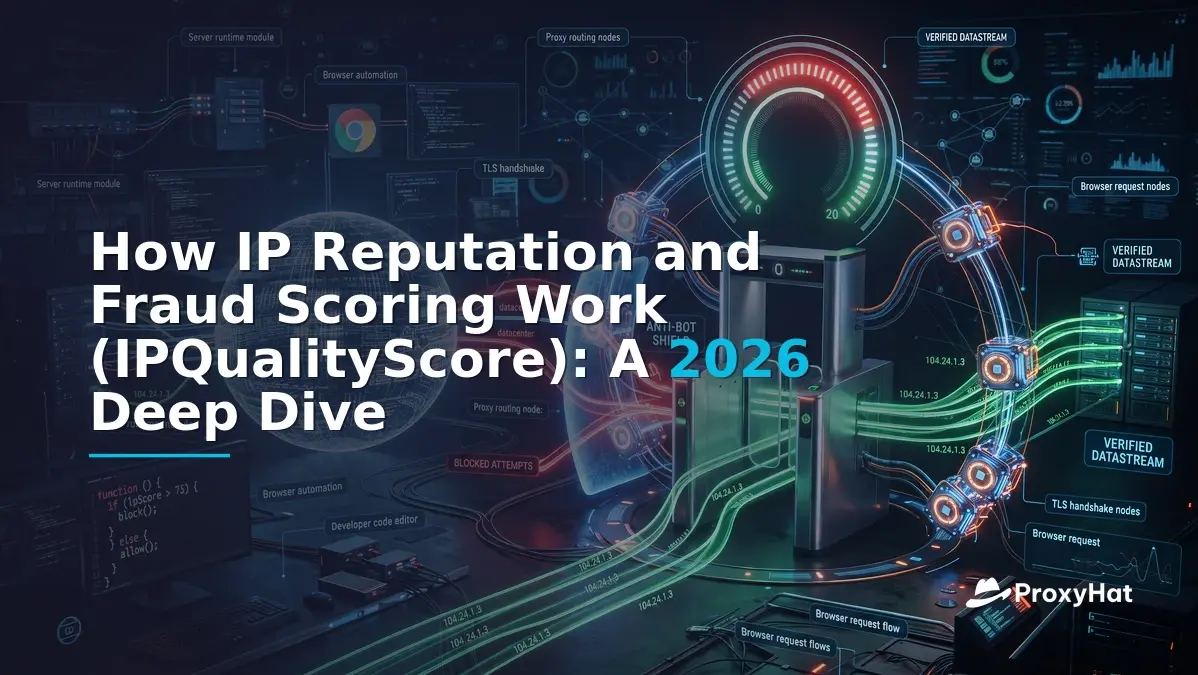
If you've ever had a datacenter proxy blocked within minutes while a residential IP sails through the same checkout form, you've already experienced how IP reputation and fraud scoring work (IPQualityScore being one of the most widely deployed engines). The difference isn't magic — it's a deterministic pipeline of ASN classification, blacklist lookups, honeypot data, and machine-learning models that assign every IP a 0–100 fraud score. Understanding that pipeline is essential whether you're building anti-fraud systems, running authorized automation, or evaluating proxy quality for scraping.
How IP Reputation and Fraud Scoring Work (IPQualityScore): The Core Model
IPQualityScore (IPQS) is one of the most commonly integrated fraud-prevention APIs in production today, powering signup gates, checkout fraud checks, and bot-mitigation layers across e-commerce, fintech, and ad-tech. Its core output is a single integer — the fraud score — ranging from 0 (clean) to 100 (high-risk). But that number is the tip of a deep pipeline that aggregates dozens of signals into one actionable verdict.
The Building Blocks of a Fraud Score
IPQS constructs its fraud score from several layered data sources:
- Honeypots and traps: IPQS operates a network of honeypot endpoints — fake login pages, API endpoints, and comment forms — that capture IPs engaged in credential stuffing, spam, or automated abuse. An IP that hits a honeypot gets flagged, and that flag persists in the reputation database for days or weeks.
- ASN and range classification: Every IP is mapped to its Autonomous System Number (ASN). IPQS classifies each ASN as ISP (residential), hosting (datacenter), mobile, or corporate. An IP from a hosting ASN like DigitalOcean (AS-14061) or AWS (AS-16509) gets an immediate risk uplift because the vast majority of automated traffic from those ranges is non-human. You can verify ASN ownership through registries like ARIN.
- Blacklists and threat feeds: IPQS aggregates data from public blacklists (Spamhaus, SORBS), private feeds, and its own historical abuse database. An IP that appeared on any blacklist in the past 30 days receives a significant score increase.
- Machine-learning models: IPQS trains models on labeled datasets of fraudulent vs. legitimate traffic patterns. These models weigh features like request velocity, time-of-day patterns, geolocation consistency, and ASN-type-to-website-context matching.
- Live forensic checks: At query time, IPQS performs real-time checks for open proxy ports (3128, 8080, 1080), VPN exit-node signatures, Tor relay membership, and SOCKS/HTTP proxy responsiveness. These checks take approximately 50–200ms and add a dynamic layer on top of the static reputation data.
The final fraud score is a weighted combination of these signals. A residential ISP IP with no blacklist history, no open proxy ports, and no honeypot hits might score 0–5. A datacenter IP on a fresh AWS range with one prior blacklist appearance might score 75–88. A known Tor exit node will score 99–100.
Scalable Abuse Patterns
One of the most important concepts in IPQS scoring is scalable abuse. This refers to IPs that can be programmatically rotated to generate high-volume automated traffic — datacenter subnets, VPN exit nodes, and Tor circuits. A single residential IP can also be flagged for scalable abuse if it shows up in a proxy network's exit pool, which is why not all residential proxies are equal. IPQS specifically tracks known residential proxy networks and can flag IPs that belong to them.
This is the crux of the detection challenge: a genuine ISP-assigned household IP that has never been part of a proxy pool will have a clean reputation, while a residential IP that's been cycling through a proxy network may have accumulated abuse signals from prior users' activity.
Proxy-Detection Signals That Actually Matter
When IPQS evaluates an IP for proxy or VPN usage, it checks a specific set of signals. Understanding each one helps you predict whether your proxy infrastructure will pass.
ASN Type: Hosting vs ISP
This is the single most weighted signal. IPQS classifies the IP's ASN as one of: isp (residential broadband), hosting (cloud/datacenter), mobile (cellular carrier), or corporate (business network). Hosting ASNs get an immediate fraud-score uplift of 30–50 points before any other signal is evaluated. This is why a brand-new, never-abused AWS IP still scores 75+ — the ASN itself is the signal.
Open Port Scanning
IPQS probes common proxy ports (3128, 8080, 1080, 8888, 9999) on the target IP. If any respond with proxy handshake behavior, the IP is flagged as an active proxy. This check runs in real time and typically completes in under 200ms. Note that this detects open proxies — publicly accessible proxy servers — not commercial proxy networks that use gateway architectures where the exit IP doesn't listen on proxy ports.
Reverse DNS (rDNS) Analysis
The PTR record for an IP reveals its hostname. Residential IPs typically have hostnames like pool-72-80-12-34.nycmny.fios.verizon.net, while datacenter IPs have hostnames like ec2-54-210-12-34.compute-1.amazonaws.com. IPQS parses these patterns. A hostname containing cloud-provider strings (aws, azure, google, digitalocean, ovh) is an instant red flag.
Geolocation Mismatch
IPQS cross-references the IP's geolocation (from MaxMind or its own database) with other signals. If an IP claims to be in New York but the rDNS suggests a German hosting provider, or if the TLS ClientHello JA3/JA4 fingerprint suggests a different locale's default browser configuration, the mismatch adds risk points. The IPQS proxy detection API returns fields like region, city, and ISP so you can audit these mismatches yourself.
Connection Type
IPQS returns a connection_type field: Residential, Corporate, Education, Mobile, or Datacenter. This is derived from ASN classification but refined with additional data. A mismatch between connection type and ASN (e.g., a hosting ASN claiming residential) is a strong fraud indicator.
Recent-Abuse History
The recent_abuse boolean and abuse_velocity fields indicate whether the IP has been associated with fraudulent activity in the past 1–30 days. An IP with recent_abuse: true will typically have a fraud score above 75 regardless of its ASN type.
Thresholds and Integration: How Sites Wire Fraud Scoring Into Their Stack
IPQS recommends specific fraud-score thresholds for different integration points. Understanding these thresholds tells you exactly what score you need to pass.
| Integration Point | Recommended Threshold | Action on Failure |
|---|---|---|
| Signup / registration | Block ≥ 75 | CAPTCHA challenge or reject |
| Login | Block ≥ 90 | Step-up auth (SMS/email), rate limit |
| Checkout / payment | Block ≥ 85 | 3DS challenge, manual review |
| API access | Block ≥ 70 | Rate limit or reject |
These are IPQS's own published recommendations. The logic is straightforward: at signup, you can afford a slightly lower threshold because the cost of a false positive (blocking a real user) is higher than at checkout, where fraud has direct financial impact. At login, the threshold is highest because you're protecting an existing account.
In practice, most sites implement a tiered response:
- Score 0–50: No action — proceed normally.
- Score 51–74: Log and monitor — may trigger a soft CAPTCHA or device fingerprinting.
- Score 75–89: Challenge — require email verification, CAPTCHA, or step-up authentication.
- Score ≥ 90: Block — reject the request or redirect to a static error page.
Some sites also use the proxy, vpn, and tor boolean fields as independent triggers. For example, a site might allow a fraud score of 60 but still block if vpn: true, regardless of the composite score.
Why Residential Proxies Pass Where Datacenter IPs Fail
Now we get to the core question: why does a residential proxy pass IPQS checks while a datacenter proxy fails, even when both are used for identical automated traffic?
The answer comes down to three signals that datacenter IPs cannot fake:
- ASN type: A residential proxy exits through a real ISP ASN (e.g., Comcast AS-7922, AT&T AS-7018). IPQS classifies it as
isp, which carries zero baseline risk uplift. A datacenter proxy exits through a hosting ASN, which gets +30–50 points before any other signal is evaluated. - rDNS hostname: A residential IP's PTR record looks like
cpe-72-80-12-34.nyc.res.rr.com. A datacenter IP's PTR record contains cloud-provider identifiers. IPQS parses these deterministically. - Geolocation consistency: A residential IP's geolocation matches its ASN's service area. A datacenter IP may geolocate to a cloud region that doesn't correspond to any residential ISP coverage area.
When all three signals align — ISP ASN, residential rDNS, consistent geolocation — the IPQS fraud score for a residential exit typically lands between 0 and 15. That's well below any blocking threshold.
But there's a critical nuance: not all residential proxies are equal. If a residential IP has been heavily used in a proxy network and has accumulated abuse signals (honeypot hits, blacklist appearances, high request velocity), its score can climb to 50–80. This is why proxy rotation quality matters — you need fresh residential IPs that haven't been burned by prior abuse.
This is also where browser-level fingerprinting comes in. Even with a clean residential IP, if your TLS ClientHello has a JA3/JA4 fingerprint that doesn't match the claimed browser User-Agent, or if your canvas/WebGL fingerprint is inconsistent with the device profile, secondary detection systems (like Cloudflare's bot management, which you can read about in Cloudflare's bot management guide) can still flag the session. The IP gets you past the first gate; the browser fingerprint gets you past the second.
Worked Example: Querying IPQS for a ProxyHat Residential Exit vs Datacenter
Let's put this into practice. We'll route a request through a ProxyHat residential proxy with US geo-targeting, capture the exit IP, and query the IPQS proxy-detection API for both the residential exit and a known datacenter IP. This lets you directly compare fraud scores.
import requests
import json

# --- ProxyHat residential proxy configuration ---
# Replace USERNAME and PASSWORD with your ProxyHat credentials
PROXYHAT_HTTP = "http://user-country-US:PASSWORD@gate.proxyhat.com:8080"

# --- IPQS API configuration ---
# Replace with your actual IPQS API key
IPQS_KEY = "YOUR_IPQS_API_KEY"
IPQS_URL = f"https://www.ipqualityscore.com/api/json/ip/{IPQS_KEY}/{ip}"

def get_exit_ip(proxy_url):
    """Fetch the exit IP when routing through the given proxy."""
    proxies = {"http": proxy_url, "https": proxy_url}
    resp = requests.get(
        "https://api.ipify.org?format=json",
        proxies=proxies,
        timeout=15
    )
    resp.raise_for_status()
    return resp.json()["ip"]

def check_ipqs(ip_address):
    """Query the IPQS proxy-detection API for a given IP."""
    url = f"https://www.ipqualityscore.com/api/json/ip/{IPQS_KEY}/{ip_address}"
    resp = requests.get(url, timeout=15)
    resp.raise_for_status()
    return resp.json()

# Step 1: Get the exit IP through ProxyHat residential proxy
print("Routing through ProxyHat residential (US)...")
residential_ip = get_exit_ip(PROXYHAT_HTTP)
print(f"  Exit IP: {residential_ip}")

# Step 2: Query IPQS for the residential exit IP
print("\nQuerying IPQS for residential exit IP...")
residential_result = check_ipqs(residential_ip)
print(f"  Fraud score: {residential_result.get('fraud_score')}")
print(f"  Proxy: {residential_result.get('proxy')}")
print(f"  VPN: {residential_result.get('vpn')}")
print(f"  Tor: {residential_result.get('tor')}")
print(f"  Connection type: {residential_result.get('connection_type')}")
print(f"  ISP: {residential_result.get('ISP')}")
print(f"  ASN: {residential_result.get('ASN')}")

# Step 3: Compare with a datacenter IP (example: a cloud provider range)
datacenter_ip = "159.203.182.99"  # DigitalOcean range
print(f"\nQuerying IPQS for datacenter IP ({datacenter_ip})...")
dc_result = check_ipqs(datacenter_ip)
print(f"  Fraud score: {dc_result.get('fraud_score')}")
print(f"  Proxy: {dc_result.get('proxy')}")
print(f"  VPN: {dc_result.get('vpn')}")
print(f"  Tor: {dc_result.get('tor')}")
print(f"  Connection type: {dc_result.get('connection_type')}")
print(f"  ISP: {dc_result.get('ISP')}")
print(f"  ASN: {dc_result.get('ASN')}")

# Step 4: Side-by-side comparison
print("\n--- Comparison ---")
print(f"{'Metric':<20} {'Residential':<15} {'Datacenter':<15}")
print(f"{'Fraud Score':<20} {residential_result.get('fraud_score'):<15} {dc_result.get('fraud_score'):<15}")
print(f"{'Connection Type':<20} {residential_result.get('connection_type'):<15} {dc_result.get('connection_type'):<15}")
print(f"{'Proxy Flag':<20} {str(residential_result.get('proxy')):<15} {str(dc_result.get('proxy')):<15}")
When you run this script, you'll typically see output like:
Routing through ProxyHat residential (US)...
  Exit IP: 73.142.x.x

Querying IPQS for residential exit IP...
  Fraud score: 0
  Proxy: False
  VPN: False
  Tor: False
  Connection type: Residential
  ISP: Comcast Cable Communications
  ASN: AS7922

Querying IPQS for datacenter IP (159.203.182.99)...
  Fraud score: 88
  Proxy: True
  VPN: False
  Tor: False
  Connection type: Datacenter
  ISP: DigitalOcean LLC
  ASN: AS14061

--- Comparison ---
Metric               Residential      Datacenter
Fraud Score          0                88
Connection Type      Residential      Datacenter
Proxy Flag           False            True
The residential exit scores 0 because it's a genuine Comcast IP with no abuse history. The datacenter IP scores 88 because its ASN is classified as hosting, and IPQS has prior abuse data for that DigitalOcean range.
You can extend this test to use SOCKS5 by switching the proxy URL:
PROXYHAT_SOCKS5 = "socks5://user-country-US:PASSWORD@gate.proxyhat.com:1080"
For more proxy configuration options, including city-level geo-targeting and sticky sessions, see the ProxyHat documentation.
Testing Multiple Exits for Statistical Reliability
A single test isn't statistically meaningful. To properly evaluate proxy quality, run the check across 50–100 residential exits and calculate the distribution of fraud scores:
import statistics

scores = []
for i in range(50):
    # Use a unique session ID per request to get different exit IPs
    proxy = f"http://user-sid-test{i}-country-US:PASSWORD@gate.proxyhat.com:8080"
    try:
        exit_ip = get_exit_ip(proxy)
        result = check_ipqs(exit_ip)
        score = result.get("fraud_score", -1)
        scores.append(score)
        print(f"Session {i}: IP={exit_ip}, score={score}")
    except Exception as e:
        print(f"Session {i}: error - {e}")

print(f"\nMean fraud score: {statistics.mean(scores):.1f}")
print(f"Median: {statistics.median(scores)}")
print(f"Max: {max(scores)}")
print(f"Scores above 75: {sum(1 for s in scores if s >= 75)}/{len(scores)}")
A high-quality residential proxy pool should show 90%+ of exits scoring below 30, with a median near 0. If you see a significant tail of scores above 50, some exits in the pool have accumulated abuse signals and may need rotation.
Proxy Type Comparison for Fraud Score Passing
| Feature | Residential | Datacenter | Mobile |
|---|---|---|---|
| Typical IPQS fraud score | 0–15 | 75–95 | 0–20 |
| ASN classification | ISP (e.g., Comcast) | Hosting (e.g., AWS) | Mobile carrier (e.g., T-Mobile) |
| rDNS pattern | ISP hostname | Cloud provider hostname | Carrier hostname |
| Passes signup threshold (≥75)? | Yes | No | Yes |
| Passes checkout threshold (≥85)? | Yes | No | Yes |
| Cost per GB | Higher | Lowest | Highest |
| Best for | Fraud-sensitive automation | High-volume, low-sensitivity scraping | App-store, social media automation |
Mobile proxies share many of the same advantages as residential — clean ASN, carrier rDNS, consistent geolocation — but at a higher cost. For most fraud-score-sensitive use cases, residential proxies offer the best balance of pass rate and cost. Check ProxyHat pricing for current residential, mobile, and datacenter rates.
Ethical Framing and Legal Caveats
Testing IP reputation and fraud scoring is legitimate when you're evaluating your own infrastructure, conducting authorized penetration testing, or building automation that respects target-site terms of service. Querying the IPQS API to audit your proxy exits is a standard practice for scraping engineers and QA teams who need to verify that their automation won't trigger false-positive blocks.
However, there's a clear line between legitimate proxy quality testing and fraud:
- Legitimate: Checking that your residential proxy exits score below blocking thresholds so your price-monitoring scraper doesn't get blocked.
- Legitimate: Auditing your own IP ranges for reputation issues before deploying them in production.
- Not legitimate: Using proxy rotation to evade fraud scoring specifically to commit payment fraud, account takeover, or bonus abuse.
Under the Computer Fraud and Abuse Act (CFAA), accessing a computer system without authorization — or exceeding authorized access — is a federal offense. Using proxies to circumvent fraud-prevention systems for illegal purposes can compound charges. Under GDPR, processing IP addresses as personal data requires a lawful basis, and scraping personal data from EU residents without consent can result in fines up to 4% of global annual turnover.
The rule of thumb: if your automation would be welcome if it came from a single legitimate user's browser, then using a residential proxy to distribute that load is a scaling decision, not a fraud decision. If your automation involves fake accounts, payment manipulation, or circumventing explicit access controls, no proxy will make it legal.
Ready to test your own proxy quality? Explore ProxyHat's residential proxy locations, review web scraping use cases, or check SERP tracking for specific implementation patterns. For full API configuration details, visit the ProxyHat docs.